 Arnau Pont · Co-founder2026-04-10

How I Attempted to Stop Being a Lazy Job Seeker (with Claude Code)

We keep writing about AI agents replacing job search. So we tried to build one. Using Claude Code and the Indeed connector, which interestingly is the only major job board with an official integration in Claude so far. We even tried to schedule it to run daily on the cloud. Here is what worked and what did not.
The Experiment
We have been writing about how AI agents will change the way people search for jobs. The Lazy Job Seeker gives up after day 3. The Recruitment Tech Map shows who is building what. But we had not actually tried it ourselves.
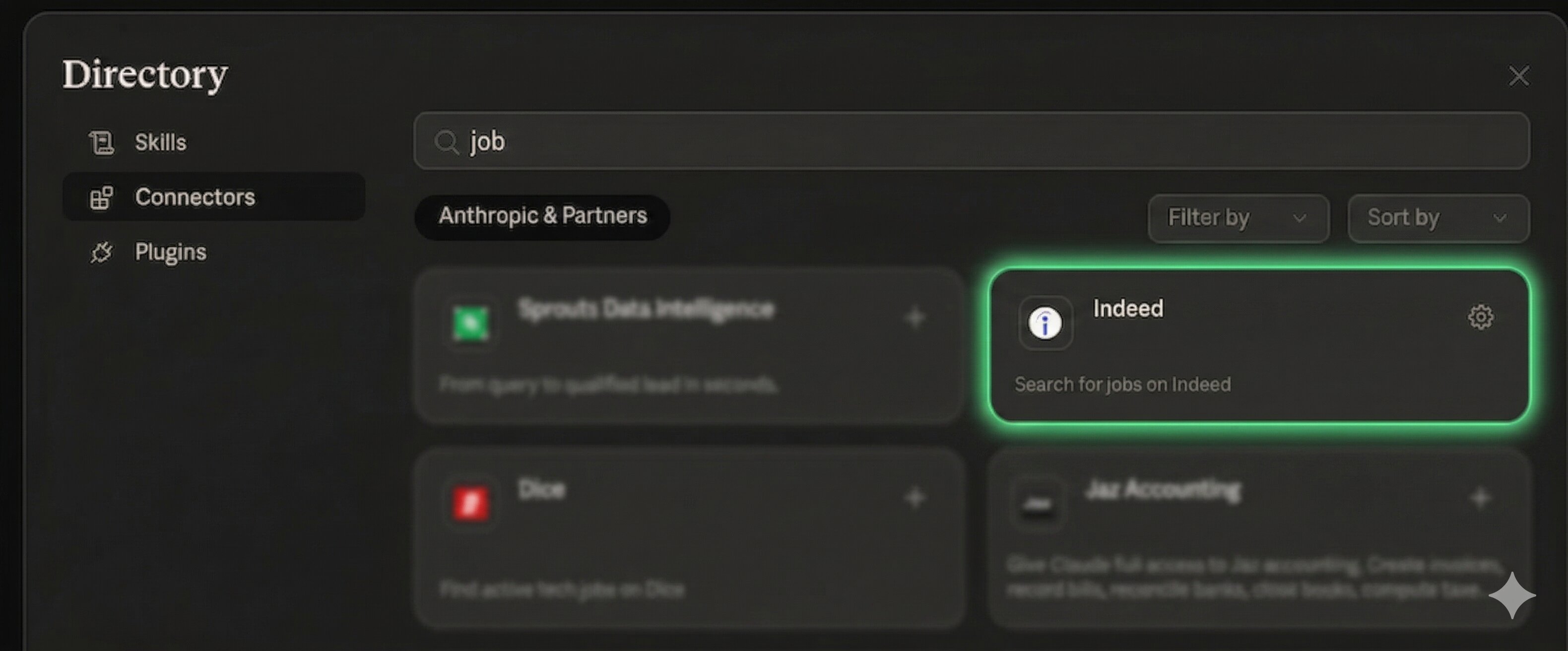
So we did. First you need to configure the Indeed connector from Claude's connector settings. All users can access connectors, though custom connectors require a paid plan (Pro, Max, Team or Enterprise). The scheduled tasks feature also requires at least the Pro plan at $20/month. Once the Indeed connector is enabled, Claude can search Indeed's job listings programmatically. The goal: find relevant jobs for a specific profile, automatically, without scrolling a single page.
What Worked
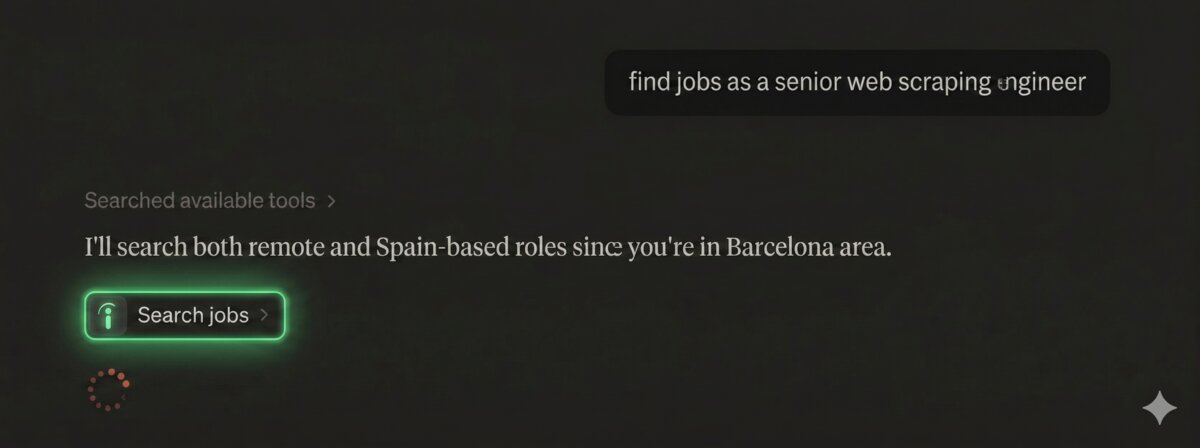
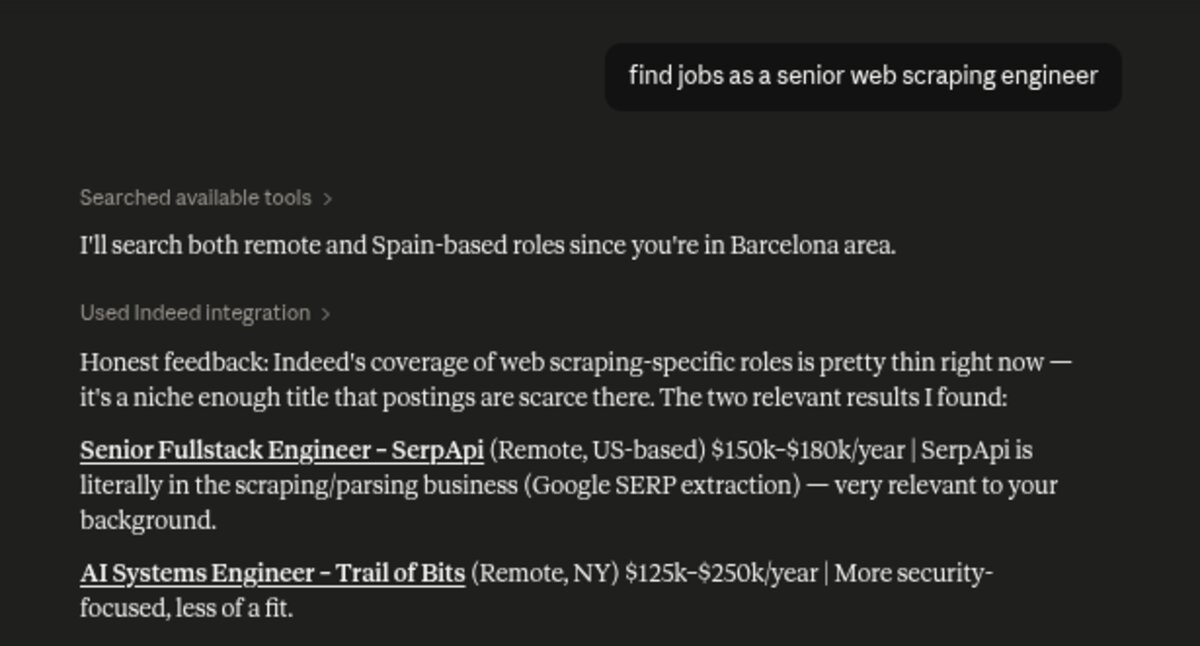
When we manually opened a Claude chat and asked it to search for jobs matching specific criteria, it technically worked. Claude connected to Indeed, searched for listings, and returned structured results with salary ranges and a brief assessment of fit for each role. No scrolling. No alerts. No sponsored noise. It treated every listing equally, whether sponsored or organic.
It was fast. The whole interaction took seconds. But speed alone does not make it useful if the results are not relevant.
That said, the results were not great. Claude acknowledged we are based in Barcelona and said it would search for Spain-based and remote roles. But the jobs it actually returned were US-based and Remote NY. It also noted that Indeed's coverage for our specific niche was thin. So the experience was: fast, structured, honest about its limitations, but ultimately not that useful for our specific search.
The Next Step: Automating It
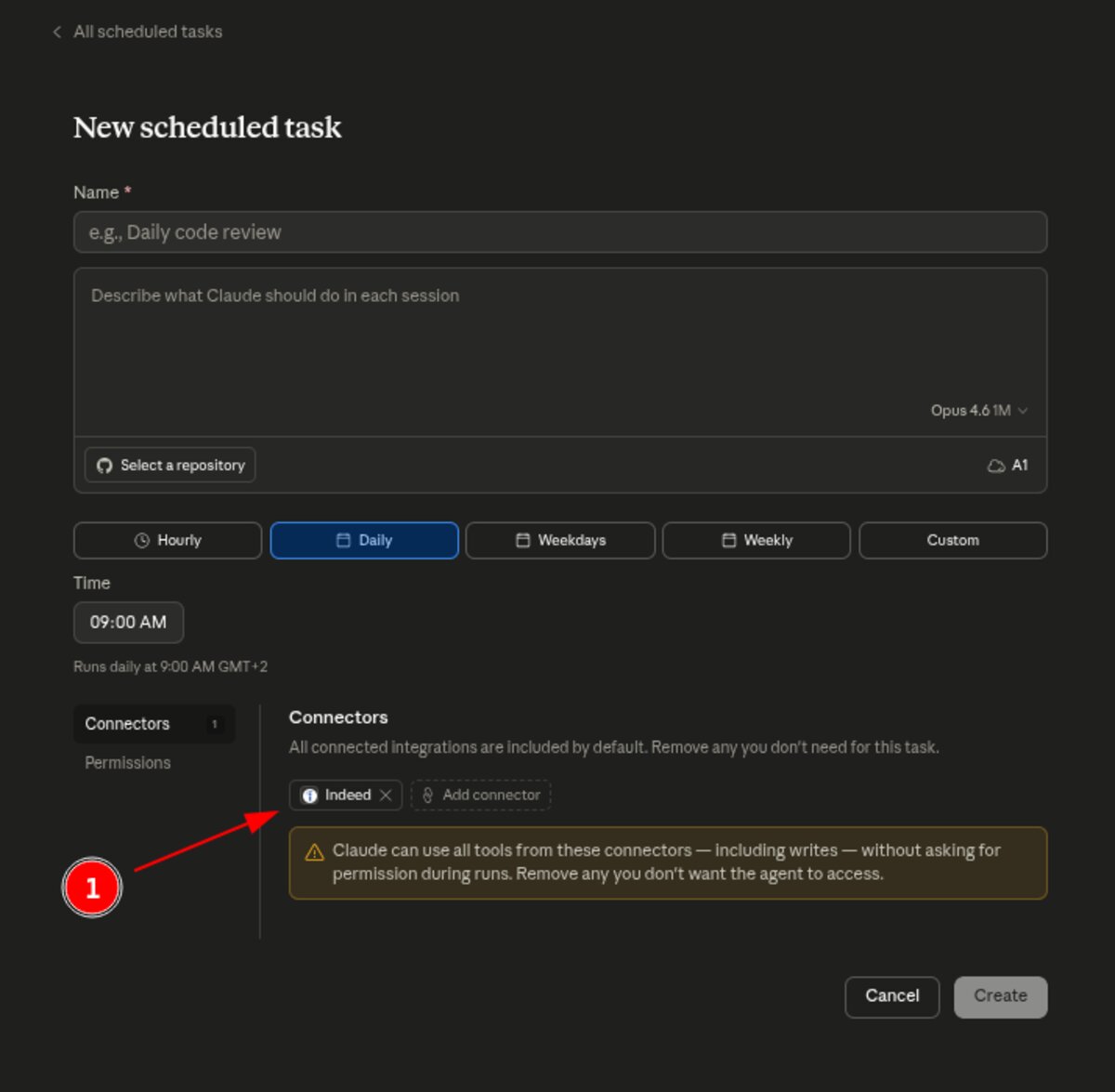
The manual search "kind of" worked. But the whole point of an agent is that you should not have to open a chat every time. So we tried to automate it using Claude's scheduled tasks. The idea: set up a daily task at 9:00 AM that searches Indeed for relevant roles and sends the results.
The setup is straightforward. You give the task a name, describe what Claude should do, pick a frequency (daily, weekly, etc.), and make sure the Indeed connector is enabled under the Connectors tab (see ① below).
What Did Not Work
We configured the scheduled task as described above. It looked promising. But here is the fun part: even though you can configure the Indeed connector in the scheduled task settings, when the task actually runs, Claude does not use the connector. Instead, it loads its generic tools (WebSearch, WebFetch) and tries to access Indeed directly via URL (see ① below). Naturally, Indeed detects it is a bot and blocks every request with a 403 error (see ②). We are not sure why the connector is not used in scheduled mode. It might be a bug, which would not be surprising given the stability issues the platform usually has.
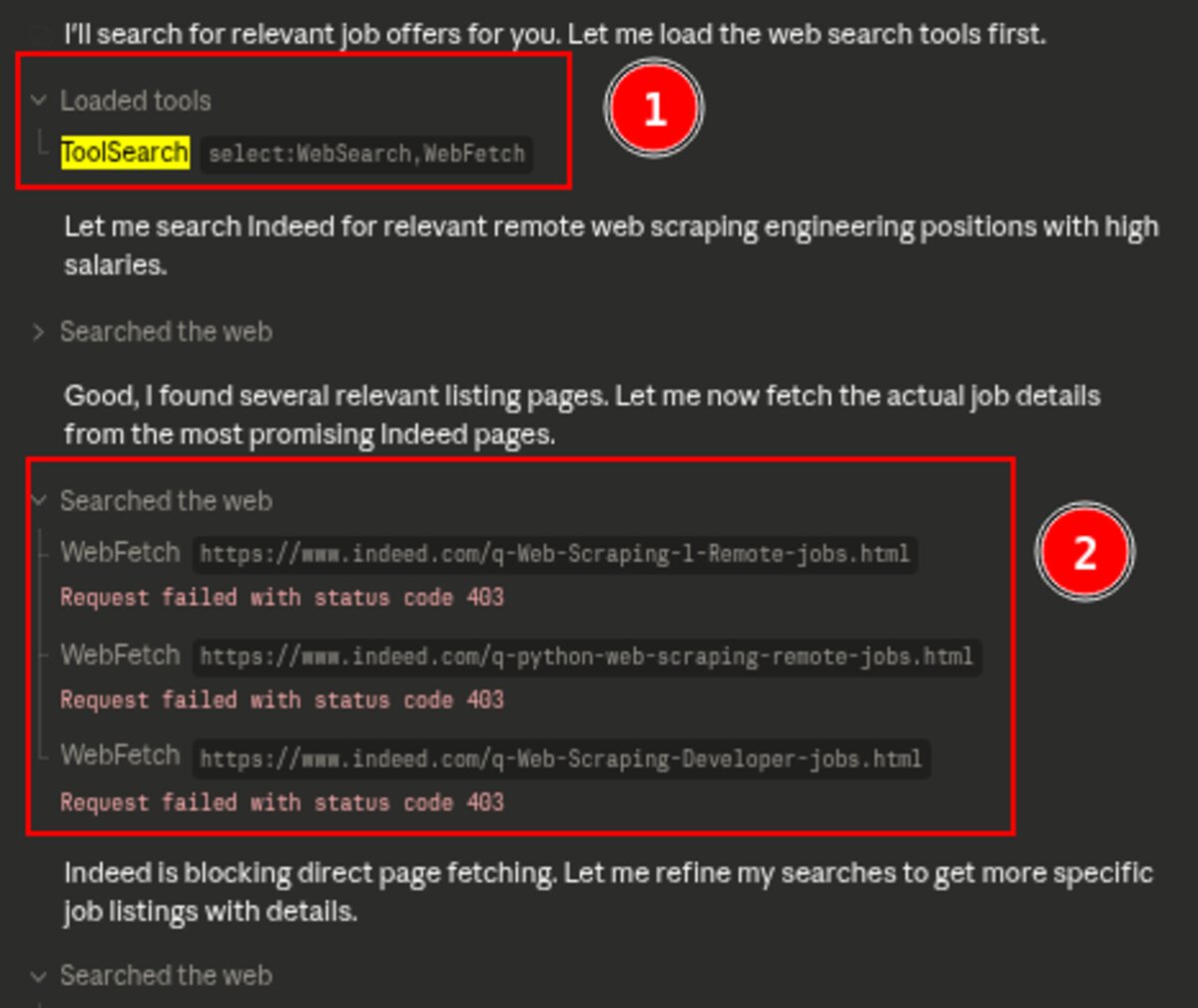
So today, it only works if you open a chat, type the prompt, and wait for the results. That is not an agent. That is a better search engine with extra steps.
The Limitations Are Real
First, you are limited to the jobs available on Indeed. One source. If the job you are looking for is only posted on a niche board, Claude will not find it. What surprised us is that Indeed is the only major job board with an official connector in Claude. No LinkedIn. No Glassdoor. No StepStone. Just Indeed. Recruit Holdings seems to be one step ahead of the race here, positioning Indeed as the default data source for AI-powered job search.
Second, it does not apply for you. It finds jobs, but submitting an application is still on you. In theory, this could be solved by giving the agent access to a Chrome browser to fill in forms and click buttons. But that consumes a lot of resources, it is slow, and it is error prone. At least nowadays.
Third, the setup is not trivial. You need to configure the MCP connector, understand how Claude Code works, and write decent prompts. This is not something your average job seeker is going to do.
Other Options We Explored
Claude also offers Desktop plugins that could theoretically do the same thing, but they only work on your local machine. Claude Code is more flexible but again, the configuration is too complex for non-technical users.
We also looked at ChatGPT's GPT marketplace. In theory, someone could build a job search GPT. In practice, the marketplace is flooded with noise. Finding a reliable, well-maintained job search GPT is harder than finding a job.
Where Does This Leave Us?
Claude is promising, especially if the builders behind these connectors can leverage the existing distribution that platforms like Anthropic and OpenAI already have. Millions of people already use Claude and ChatGPT daily. If job search becomes a natural part of that experience, adoption could be fast.
But honestly? A fully verticalized solution like the ones we mapped in the Recruitment Tech Map will always end up offering a much better user experience. Jack from Jack & Jill searches 14 million jobs daily, coaches you through interviews, introduces you to hiring managers, and negotiates salary. That level of specialization is hard to match with a general-purpose AI and a connector.
We are early. The pieces are there but they do not fit together smoothly yet. The scheduling does not work reliably. The data is limited to one source. The setup requires technical skills most people do not have.
But the direction is clear. And it is moving fast.